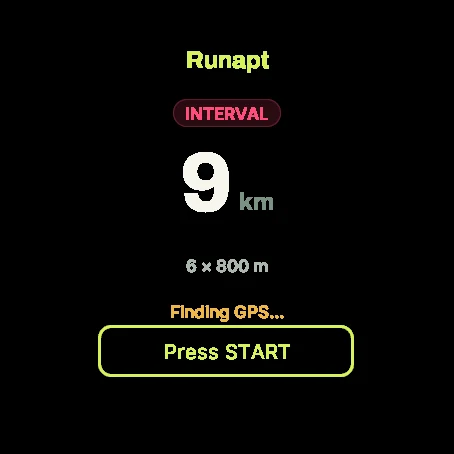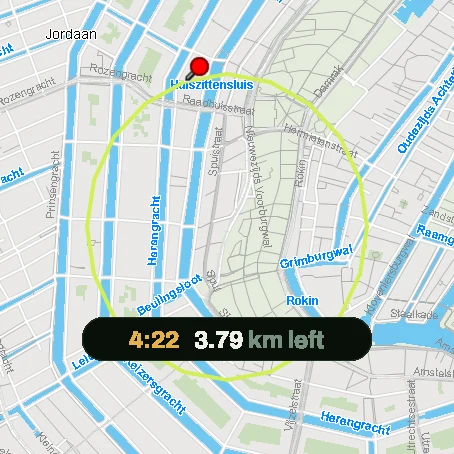
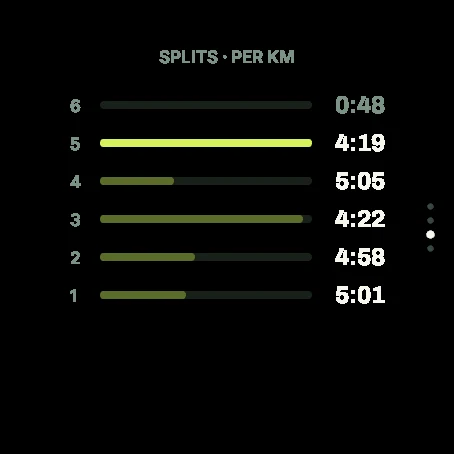
Today’s run on the dial
Open Runapt on your Garmin and the session is there: distance, pace targets, and the structure of the workout. You do not rebuild it from a screenshot.
Garmin
The free Runapt Connect IQ app shows today’s session and interval targets on your watch. Pair once with a code from the phone app.
Get it on Connect IQ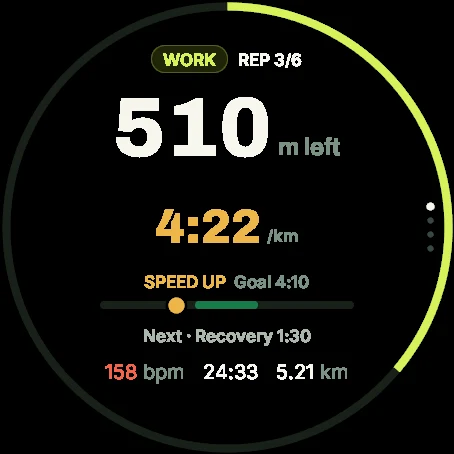
Open Runapt on your Garmin and the session is there: distance, pace targets, and the structure of the workout. You do not rebuild it from a screenshot.
Hard reps have a target. The watch keeps the structure while you run. Afterward it syncs back to the plan on your phone.
Pair once with a code. The week still adapts in the Runapt app when you miss a day or the long run goes sideways. The watch is where you execute.
The Connect IQ app is free. Create a free Runapt account in the phone app, pair the watch, and start from today’s session.
Install Runapt on iOS or Android and sign in. Free account is enough to pair.
Install “Runapt - Running Plan & Interval Coach” from the Connect IQ Store on your compatible Garmin.
Open Runapt on the watch, enter the 6-digit code from the phone app, and today’s session shows up.
Skip the PDF on the kitchen table. Put today’s Runapt session on the watch you already wear.
Any watch that can install this app from the Connect IQ Store. Open the listing on your phone or Garmin Express and it will show devices that support it.
You need a Runapt account (free to create). Pro is the phone-app subscription for the full adaptive plan features — same as using Runapt without a watch.
The watch keeps the run and sends it when it reconnects. The plan on your phone updates when the activity lands.
It is a Connect IQ app: your Runapt session on the watch, not only a pace field glued onto a native Garmin workout.
Download Runapt and build your first training week. The free plan has no time limit.
Or start on the web