Race, a recent time, the days you can train. You get a 4–18 week block. Easy, tempo, threshold, intervals, long run. The paces come from VDOT.
5K, 10K, half marathon, and marathon
Easy, tempo, threshold, interval, and long-run paces
A bad week is rebuilt before you see it
A route for every session
Open the session. The loop is already drawn, at the workout distance, from where you stand. Route generation is live in the Netherlands and the United Kingdom.
A loop from your GPS position
Distance set by the workout
Routing on OpenStreetMap
Training that adapts
Your training responds to missed sessions, tired legs, and daily readiness. Adjust the week as life changes.
A daily readiness number
Hold, cut, or move the session
Missed runs and slow intervals change the week
Understand your training
After the run the note is about that workout. Pace drift. The hills. Whether you hit the target. Then what the next hard day should do about it.
A note about the run you just did
The same signals across weeks
Why the next session moved
Find your pace
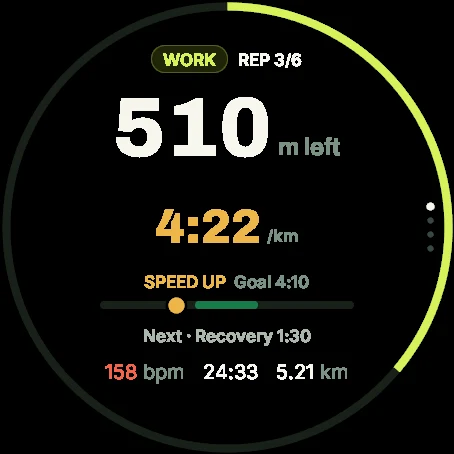
Target pace stays on screen. So does the gap. An interval has a number, a start, and a stop.
Ahead or behind, on screen
A pace window for that workout
Color for the effort
Keep your running connected
Phone runs and the watches you already use land in one history. No signal, and the run syncs later.
HealthKit sync
Garmin Connect IQ app
Strava sync
Polar sync
The run waits on the phone until you have signal
One history across phone and watch
Today’s run on Garmin
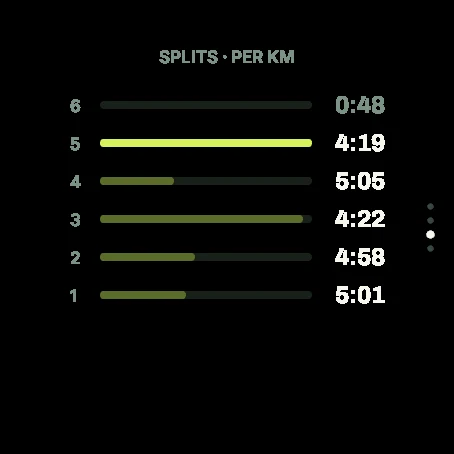
The phone owns the plan. The free Connect IQ app puts today’s session and interval targets on your wrist. Pair once with a code.
Free on Connect IQ Store
Pair with a 6-digit code from the phone app
Intervals and pace targets on the watch
Details on /garmin
Hide home. Keep the stats.
The vault shows what each app can see. A circle around home and work stays off shares and exports. Export the lot, or delete GPS and keep the stats. No ad SDKs.
Data vault: what every connected app can see, with a privacy score
Route privacy zones hide your home and work from shares, exports, and synced GPS
One-tap export of everything Runapt stores about you
Delete all GPS routes while keeping your stats and streaks
No ad-tracking SDKs, ever
Every session has a purpose.
Tempo, threshold, long run. The pace is already there before you lace up.
Workflow
How a week actually runs.
1
The race
Distance, date, one recent time, the days you can train.
2
The session
Distance, a loop, a pace, and why it is easy, tempo, or intervals. Before you leave.
3
After
Pace drift, the hills, whether you hit the target. A note about that run.
4
The rest of the week
Missed Tuesday or a bad night. Friday gets cut before you stack it.
Runapt on Garmin Connect IQ
Today’s session and interval targets on your wrist. Free Connect IQ app, paired with the phone plan.